
Could your company be losing thousands before month end and not even know it?
Invoice reconciliation, matching invoices to purchase orders, delivery receipts, and bank records, catches overbilling, duplicate payments, pricing errors, and missing credits before money leaves your account.
When it works, you pay the right vendor at the right amount and keep clean books, and when it fails you tie up cash and invite vendor disputes.
This guide shows the matching steps, common snafus, and quick fixes so you can reconcile faster and stop cash leaks.
Core Definition and Purpose of Invoice Reconciliation

Invoice reconciliation is matching invoices to purchase orders, delivery receipts, and bank transactions to verify that what you agreed to pay, what you received, and what left your account all line up. It’s a control step that catches overbilling, duplicate payments, pricing errors, and missing credits before money goes out the door. The goal is simple: pay the right amount, to the right vendor, at the right time, and keep accurate books that can stand up to an audit.
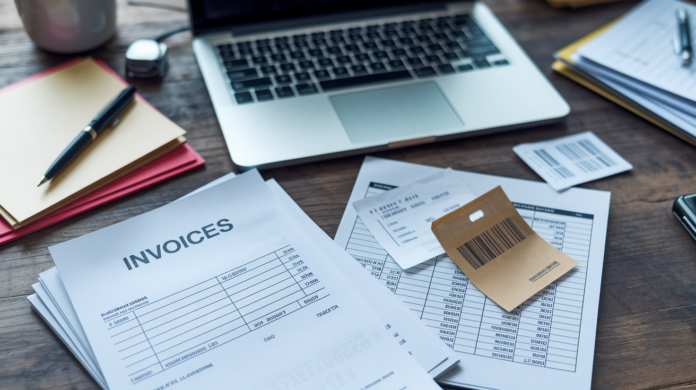
Every invoice should show the supplier name, invoice number, purchase order number, line item quantities, unit prices, taxes, applicable fees, and totals. Your reconciliation process checks that those invoice fields match the PO you issued and the receipt or delivery confirmation your team logged. When everything aligns, the invoice is approved for payment. When something doesn’t match, you flag it, find out why, and fix it before cutting a check or releasing an ACH. That step protects cash flow, prevents vendor disputes, and gives you clean records for month end close.
Manual reconciliation means opening a spreadsheet, pulling invoices and statements from email or file folders, and comparing line by line. It’s slow, it’s easy to miss duplicates or transposed numbers, and it eats time your AP team could spend closing faster or negotiating better terms. Automated reconciliation uses software to match invoice data to POs and receipts in real time, flag exceptions, and generate audit ready logs. Either way, the work is the same. You’re just deciding how much time and error risk you’re willing to accept.
Common discrepancy types you’ll encounter:
Timing differences. Invoice dated before goods arrived, or payment posted the day after the statement cutoff.
Pricing errors. Unit price on the invoice doesn’t match the PO, or a negotiated discount wasn’t applied.
Missing or incomplete documentation. No PO on file, no packing slip, or bank reference number missing.
Partial or split payments. You paid half now, half later, but the invoice shows the full amount as outstanding.
Bank fees and adjustments. Wire fees, currency conversion, or credit notes that reduce the payable but aren’t reflected on the original invoice.
How the Invoice Reconciliation Process Works End to End
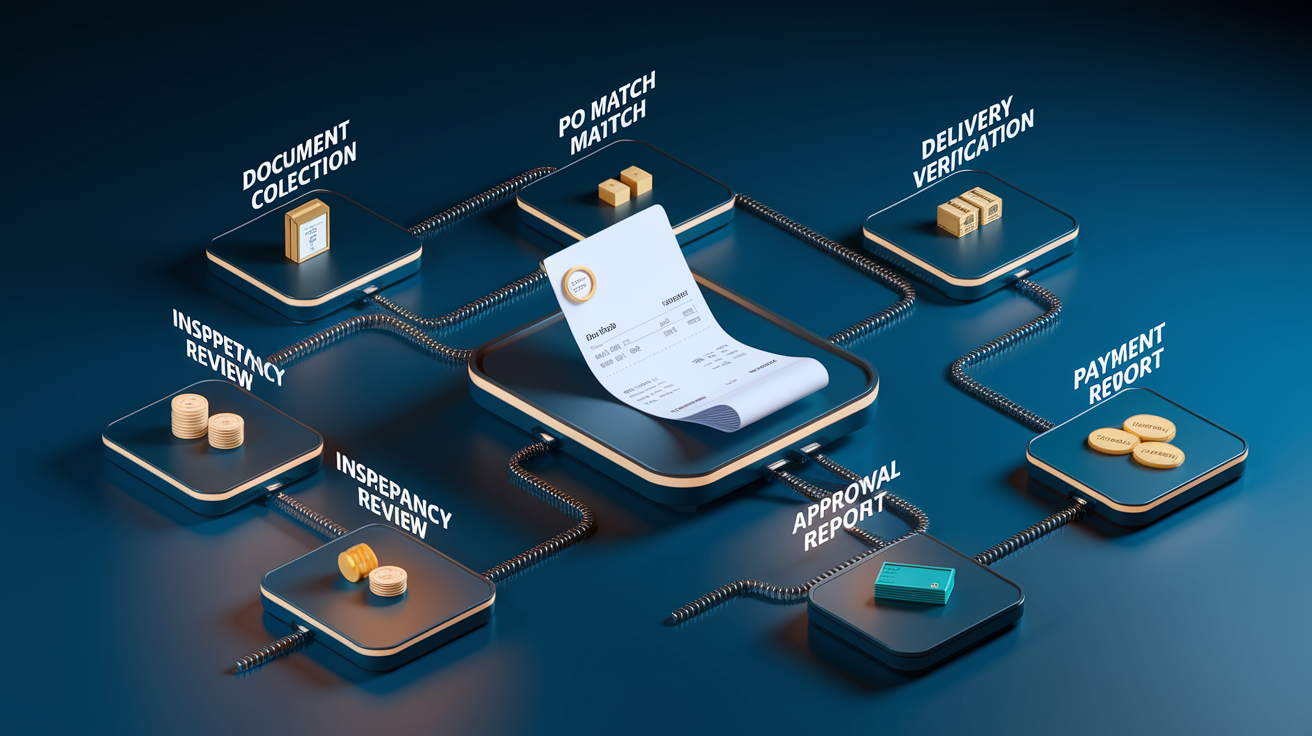
Reconciliation follows a defined sequence that moves an invoice from receipt to payment approval. Each step verifies a piece of the transaction, and each checkpoint reduces the chance you pay too much, pay twice, or pay for something you didn’t get. The workflow looks different depending on whether you’re running it in spreadsheets or software, but the logic stays the same.
Two way matching compares the invoice to the purchase order. You’re checking that the vendor name, PO number, quantities, unit prices, and totals agree. It’s the simplest method, and it works for service purchases where there’s no physical delivery to confirm, like consulting fees, software licenses, or monthly utilities. The weakness is you have no proof the service was actually delivered or completed on time, so you’re relying on trust and contract terms.
Three way matching adds the goods receipt or delivery confirmation. Now you’re comparing invoice, PO, and receiving report. This is standard for inventory, equipment, materials, and any purchase where something physical shows up at your loading dock or warehouse. It confirms you ordered it, you received it, and the invoice reflects what actually arrived. If the PO says 100 units but receiving logged 95, the invoice better show 95. Or you flag the discrepancy and contact the supplier before approving payment.
Four way matching layers in an inspection or quality report. You’re verifying not just that the goods arrived, but that they meet spec. This level is common in manufacturing, aerospace, pharmaceuticals, electronics, and food processing. Any industry where defects, damage, or non conformance can shut down production or create liability. It’s the most thorough method, and also the slowest when done manually, which is why companies that need four way matching automate it first.
Standard reconciliation workflow (8 steps):
- Gather and centralize invoices, POs, receipts, and bank statements for the period you’re reconciling.
- Review each invoice for vendor name, invoice number, date, and PO reference to confirm it’s legitimate and not a duplicate.
- Match the invoice to the purchase order and check that quantities, item descriptions, unit prices, and totals align.
- Verify delivery or service completion using packing slips, receiving logs, shipping confirmations, or project sign offs.
- Identify and investigate discrepancies using a checklist: quantity differences, pricing errors, missing credits, unapplied discounts, fees, or timing gaps.
- Update your accounting system with corrected amounts, applied credits, and adjusted line items once discrepancies are resolved.
- Route the invoice for required approvals per your internal policy, delegation of authority, or spend thresholds.
- Execute payment per agreed terms (Net 30, Net 60, 2/10 Net 30, etc.) and record the transaction, resolution notes, and any vendor communication for audit.
| Document Type | Purpose |
|---|---|
| Purchase Order (PO) | Authorizes the purchase; lists quantities, unit prices, terms, and delivery instructions. |
| Invoice | Supplier’s request for payment; itemizes what was delivered and the amount due. |
| Goods Receipt / Packing Slip | Confirms what physically arrived, when, and in what condition. |
| Inspection Report (optional) | Documents that received goods meet quality, spec, or regulatory requirements. |
| Bank Statement / Payment Record | Shows the actual cash outflow, date, reference number, and any fees deducted. |
| Credit Note / Debit Memo | Adjusts the invoice for returns, damaged goods, pricing corrections, or rebates. |
Types of Invoice Reconciliation and Matching Approaches Used by Finance Teams

Not all reconciliation is created equal. The method you choose depends on what you’re buying, how much risk you’re willing to accept, and how much manual effort you can afford. The core trade off is accuracy versus speed: tighter matching catches more errors but adds review steps, and without automation those steps slow payments and pile up at month end.
Two Way Matching (Invoice ↔ Purchase Order)
Two way matching is the baseline. You compare the invoice to the PO and approve if the vendor, amounts, and line items agree. It’s fast, it’s simple, and it works for services, subscriptions, and low risk purchases where there’s no physical delivery to verify. The downside is you have no independent proof the work was done or the service was delivered, so you’re vulnerable to overbilling or fictitious invoices if internal controls are weak.
Three Way Matching (Invoice ↔ PO ↔ Goods Receipt)
Three way matching is the industry standard for retailers, wholesalers, manufacturers, and any business that moves inventory. You’re verifying that what was ordered, what was received, and what’s being billed all match. If the PO says 200 widgets, receiving logged 200, and the invoice bills 200, you approve. If receiving only logged 180, you either reject the invoice or ask the supplier to issue a corrected one for 180 units. This method stops quantity padding, catches partial shipments before you overpay, and gives you clean records for inventory accounting.
Four Way Matching (Invoice ↔ PO ↔ Goods Receipt ↔ Inspection Report)
Four way matching adds a quality gate. It’s used for high value, specialized, or regulated purchases where receiving the goods isn’t enough. They have to meet spec, pass inspection, or comply with safety and quality standards. Think facility upgrades, precision components, medical devices, food ingredients, or anything that can fail downstream and cost you production time, rework, or recalls. The inspection report becomes the final checkpoint before payment approval. It’s the most thorough method, and also the slowest, which is why companies that need it invest in workflow automation to keep payments moving.
When to use each method:
Two way matching. Low risk services, subscriptions, utilities, or purchases where delivery verification isn’t practical.
Three way matching. Inventory, materials, equipment, and any physical goods where quantity and condition matter.
Four way matching. Specialized, high value, or regulated purchases that require quality inspection or compliance sign off.
Supplier statement reconciliation. Periodic (monthly or quarterly) matching of individual invoices and payments to the vendor’s statement to catch unbilled charges, missing credits, or balance disputes.
Real World Examples and Practical Invoice Reconciliation Scenarios

Reconciliation discrepancies are common, and the faster you catch them, the easier they are to fix. Real examples show how the process works when the numbers don’t line up and what a clean resolution looks like.
Manufacturing Supplier Invoice: Quantity Mismatch
A medium sized manufacturer orders 150 specialty fasteners at $500 per unit, total PO value $75,000. The supplier ships the order and invoices for the full amount. When receiving inspects the shipment, they count 140 units, not 150. Ten units are missing. The AP team flags the invoice, contacts the supplier, and provides the receiving report as proof. The supplier confirms the shipping error and issues a corrected invoice for 140 units at $500 each, total $70,000. AP updates the ledger, routes the corrected invoice for approval, and processes payment for the amount actually received. The original invoice is voided, and the communication and corrected invoice are filed for audit. Without reconciliation, the company would have overpaid by $5,000.
Service Industry Example: Unapplied Early Payment Discount
A consulting firm receives a $10,000 invoice from a software vendor with payment terms of 2/10 Net 30, meaning a 2% discount if paid within 10 days. AP processes the invoice on day 8 and wires $10,000. During month end reconciliation, the team notices the discount wasn’t applied. They contact the vendor, who confirms the payment was received within the discount window and issues a $200 credit note. The credit is applied to the next invoice, and the accounting system is updated to reflect the net payable. The root cause was a manual data entry step that didn’t trigger the discount calculation. The fix: automate discount capture based on invoice date and payment date.
| Field | Description |
|---|---|
| Invoice Number | Unique identifier assigned by the supplier; used to track and match the invoice. |
| Purchase Order (PO) Number | Internal authorization number linking the invoice to the original purchase request and approval. |
| Supplier / Vendor Name | Legal entity being paid; must match your vendor master file to prevent fraud or duplicate records. |
| Invoice Total & Tax | Amount billed and applicable sales tax, VAT, or GST; must match PO and comply with tax regulations. |
| Discrepancy Reason & Status | Code or note explaining why the invoice didn’t match (quantity, price, missing PO, etc.) and current resolution status (pending, resolved, paid). |
Benefits and Value of Strong Invoice Reconciliation Controls

Good reconciliation isn’t just about avoiding mistakes. It’s about control, visibility, and using your cash smarter. When reconciliation is tight, you catch errors before they cost you, you spot patterns that point to process gaps, and you free up time for higher value finance work.
Financial accuracy and audit readiness. Reconciliation prevents overpayments, double payments, and pricing errors. It ensures your accounts payable balance reflects real obligations, not inflated numbers from duplicate or incorrect invoices. Clean records mean faster month end close, easier audits, and reliable data for budgeting and forecasting. When auditors or lenders ask for documentation, you hand them reconciled invoices, matched receipts, and approval trails, not boxes of unsorted paper.
Cash flow control and fraud prevention. Reconciliation gives you early warning when something doesn’t add up. A sudden spike in invoices from a new vendor, duplicate invoice numbers, or payments that don’t match any PO are all red flags. Catching them during reconciliation stops fraudulent payments, whether it’s an external scam or an internal scheme. You also capture early payment discounts you’d otherwise miss, and you avoid late fees by identifying invoices that need expedited approval. Automation can save up to 40 hours of manual reconciliation work per month, time you can redirect to cash flow planning or vendor negotiations.
Stronger vendor relationships and faster dispute resolution. When discrepancies surface during reconciliation instead of after payment, you resolve them while the details are fresh. Suppliers appreciate fast, fact based communication. “Our receiving report shows 140 units, your invoice bills 150, please send a corrected invoice.” And you avoid the back and forth that happens when you ask for a refund months later. Timely payments and clean records also give you leverage when negotiating terms, volume discounts, or extended payment windows.
Six key advantages of strong reconciliation:
Prevents overpayments and duplicate invoices from reaching your bank account.
Improves budgeting and forecasting accuracy by ensuring payables data is correct.
Captures early payment discounts and avoids late fees through better visibility into due dates.
Detects fraud and unauthorized purchases by flagging invoices with no matching PO or unusual patterns.
Speeds dispute resolution by identifying discrepancies before payment, not after.
Creates digital audit trails that document approvals, changes, and communications for compliance and internal review.
Challenges, Errors, and Common Obstacles in Invoice Reconciliation
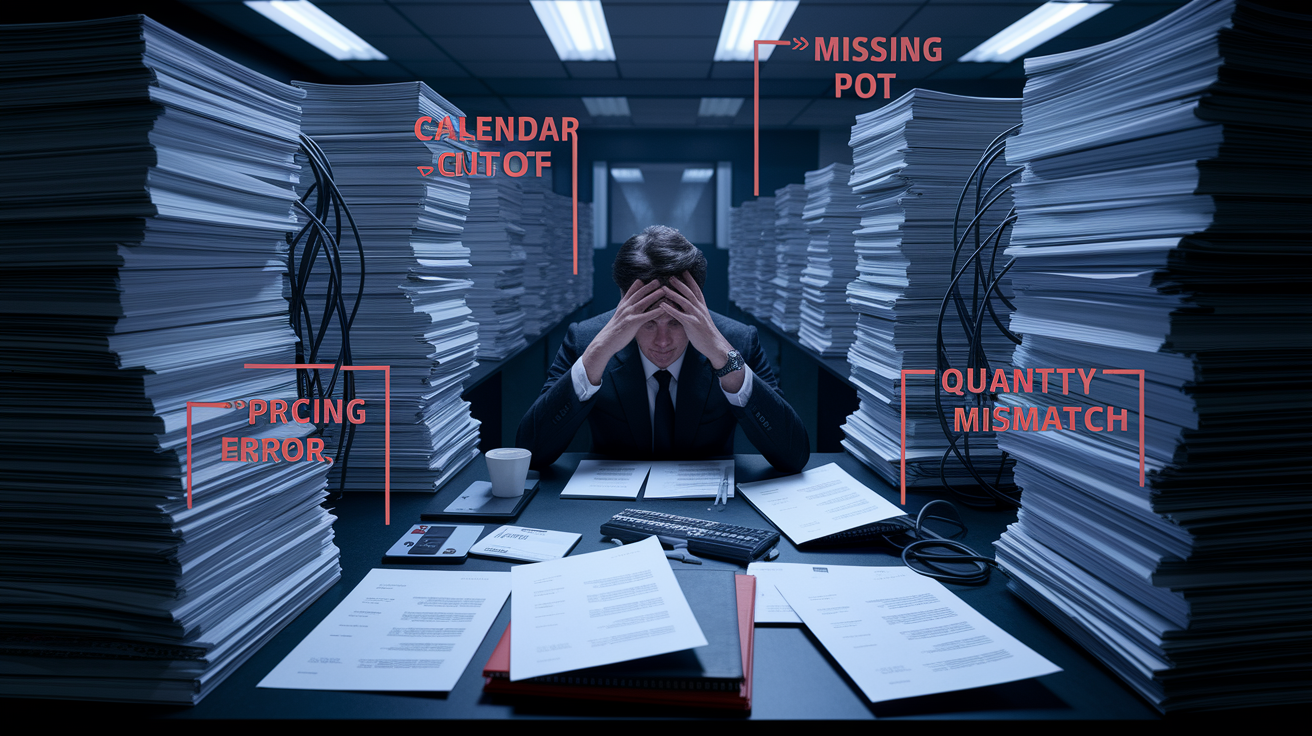
Reconciliation breaks down when volume outpaces process, when data is incomplete, or when systems don’t talk to each other. Most errors aren’t intentional. They’re the result of manual steps, missing information, or timing gaps. Knowing where breakdowns happen helps you design controls that catch them early.
High invoice volumes and manual bottlenecks. A single AP clerk can process about 5 invoices per hour manually. When monthly volume hits 500, 1,000, or more, backlogs pile up, exceptions get skipped, and payments go out without full verification. The fix is automation, batch processing, or prioritizing high value invoices for full three way matching while using two way matching for low risk items. Some teams bring in temporary support during peak periods or outsource overflow reconciliation to keep current.
Timing differences and payments in transit. An invoice is dated March 28, but the goods didn’t arrive until April 2. Your bank statement shows the payment on March 31, but the vendor’s statement shows it received on April 1. These timing gaps are normal, but they create reconciliation noise. The solution is to reconcile by transaction date and document known timing differences in your notes. If the gap is consistent, adjust your cutoff procedures so invoices and receipts land in the same period.
Missing purchase orders and incomplete documentation. Invoices arrive with no PO number, or the PO exists but receiving never logged a receipt. Without a PO, you can’t verify the purchase was authorized. Without a receipt, you can’t confirm delivery. This usually points to a procurement control gap: someone bought something off process, or receiving didn’t enter the data. The immediate fix is to chase down the paperwork and log it retroactively. The long term fix is to enforce PO policies and train receiving teams to log every delivery the day it arrives.
Most frequent discrepancies finance teams encounter:
Quantity mismatches. Invoice bills more units than receiving logged.
Pricing errors. Unit price on invoice doesn’t match PO, or negotiated discount wasn’t applied.
Duplicate invoices. Supplier submits the same invoice twice, often with slightly different invoice numbers or dates.
Partial shipments. Goods arrive in multiple deliveries, but the invoice bills the full order before everything is received.
Integration and data sync failures. Invoice data doesn’t flow from the vendor portal to your ERP, or receiving data doesn’t update the PO status, leaving you to manually connect the dots.
Manual vs Automated Invoice Reconciliation: Key Differences and Outcomes

Manual reconciliation relies on spreadsheets, email threads, file folders, and human memory. Automated reconciliation uses software to match data, flag exceptions, and route approvals in real time. The difference isn’t just speed. It’s error rates, scalability, and what your finance team spends time on.
Manual reconciliation workflow. You export invoices from email or a shared drive, pull POs from your ERP or procurement system, and grab receiving reports from another system or paper logs. You open a spreadsheet, enter invoice details line by line, and compare each field to the PO and receipt. When something doesn’t match, you highlight the row, send an email to the vendor or the buyer, wait for a response, update the spreadsheet, and mark it resolved. At month end, you tally totals, prepare journal entries, and file the spreadsheet for audit. The process works, but it’s slow, prone to typos, and it doesn’t scale when invoice volume doubles.
Automated reconciliation workflow. The system captures invoice data via OCR, email ingestion, or vendor portal integration. It pulls the matching PO and receipt automatically, compares quantities, prices, and totals, and applies your matching rules (two way, three way, or four way). If everything matches, the invoice is approved and queued for payment per the payment terms. If there’s a mismatch, the system flags it, attaches the exception reason (quantity difference, price variance, missing receipt), and routes it to the right person for review. All activity is logged, exceptions are tracked, and you get a real time dashboard showing how many invoices are matched, how many are pending, and what the top exception reasons are. End to end run time for a clean match can drop to around 18 minutes, and you eliminate the risk of duplicate payments or missed discounts.
| Category | Manual | Automated |
|---|---|---|
| Throughput | ~5 invoices per hour per clerk | Hundreds or thousands per day, depending on system capacity |
| Error Rate | High; data entry mistakes, duplicate approvals, missed discounts common | Low; rules based matching, duplicate detection, and exception alerts built in |
| Audit Trail | Spreadsheets, email threads, and filed PDFs; hard to reconstruct who approved what and when | Digital log of every match, exception, approval, and payment; timestamped and user attributed |
| Scalability | Requires more headcount as invoice volume grows; backlogs increase during peak periods | Scales with volume; same team handles higher loads without backlogs |
| Discount Capture | Manual calculation; often missed if payment terms aren’t flagged | Automatic discount identification and payment scheduling based on terms |
| Time Saved | Baseline; manual work sets the floor | Can save up to 40 hours per month in reconciliation and exception research |
Key automation technologies that drive reconciliation efficiency:
Optical Character Recognition (OCR). Extracts invoice fields (vendor, invoice number, line items, totals) from PDFs and scanned images.
Robotic Process Automation (RPA). Executes rule based matching steps (compare PO to invoice, check receipt status, route for approval) without human intervention.
Machine Learning and AI. Learns matching patterns, predicts exception types, and suggests corrections based on historical data.
Cloud platforms. Enable real time data sync between procurement, receiving, and accounting systems, so reconciliation happens continuously instead of at month end.
Tools, Integrations, and Technologies That Support Invoice Reconciliation

Modern reconciliation software doesn’t live in isolation. It connects to your ERP, procurement system, vendor portals, and bank feeds to pull data automatically and push approvals and payments back. The best tools combine matching logic, integrations, and reporting in one platform so you’re not stitching together five different systems to close one invoice.
ERP and accounting integrations. Your reconciliation tool should pull POs, invoices, and receipts from your ERP in real time and push matched invoices back for payment processing. Common integrations include QuickBooks Online, Xero, NetSuite, Microsoft Dynamics 365 Business Central, Sage Intacct, Sage 300, and Sage 50 UK. Two way sync ensures changes in one system update the other, so your AP aging and cash flow reports always reflect the current state.
OCR and intelligent document capture. Manual data entry is the slowest part of reconciliation. OCR tools scan invoices, extract key fields, and map them to your system’s data structure automatically. Advanced tools use machine learning to handle different invoice formats, recognize line item tables, and flag low confidence extractions for human review. Once the data is in the system, matching happens automatically.
Vendor portals, catalog integrations, and punchout ordering. When vendors submit invoices through a standardized portal, the data arrives structured and complete. Catalog integrations let buyers order directly from supplier catalogs within your procurement system, so POs are created with accurate part numbers, descriptions, and pricing. Punchout ordering connects your system to supplier e commerce sites, pulling order details back into your ERP when the buyer checks out. These integrations reduce manual re keying, improve PO accuracy, and make reconciliation faster because the data is clean from the start.
Five must have features in a reconciliation and AP automation platform:
Auto match invoices to POs and receipts using two way, three way, or four way matching rules you configure.
Exception management workflows that route mismatches to the right approver with all supporting documents attached.
API connectivity so you can build custom integrations with niche systems, supplier portals, or internal tools.
Failed payment recovery that flags ACH rejections, expired card details, or bank errors and queues retry attempts.
Fraud protection and duplicate detection that compares invoice numbers, amounts, and vendor details to spot duplicates or suspicious patterns before payment.
Controls, Compliance, Documentation, and Audit Requirements in Invoice Reconciliation

Reconciliation isn’t just an operational step. It’s a financial control that supports tax compliance, audit readiness, and internal accountability. Regulators, auditors, and lenders all expect you to document what you paid, why you paid it, and who authorized it.
Tax compliance and statutory reporting. For businesses subject to GST, VAT, or sales tax, invoice reconciliation ensures that the tax amounts on supplier invoices match the credits you claim on your returns. In jurisdictions with GST filing requirements, you reconcile purchase invoices against GSTR 2A or GSTR 2B (supplier filed data) to validate input tax credit before you file GSTR 3B. If an invoice isn’t reflected in the supplier’s filing, you can’t claim the credit, and reconciliation is how you catch that gap. TDS (Tax Deducted at Source) must also be verified: the invoice should show the correct TDS rate and section, and your payment must reflect the net amount after withholding.
Segregation of duties and approval hierarchies. SOX compliant organizations separate the roles of requisitioner, approver, receiver, and payer to prevent fraud. Your reconciliation process should enforce these controls: the person who ordered can’t approve the invoice, and the person who approved can’t process the payment. Automated workflows make this easier by routing invoices based on dollar thresholds, cost centers, or GL accounts and logging every approval with a timestamp and user ID.
Audit trails and documentation retention. Auditors expect a complete record of every invoice: the original document, the matching PO and receipt, exception notes, approval history, payment confirmation, and any correspondence with the vendor. Manual systems often fail this test because emails get deleted, spreadsheets are overwritten, and no one remembers who approved what six months ago. Automated systems generate immutable logs that show the full lifecycle of every invoice, from receipt to payment, with every approval, change, and exception documented.
| Requirement | Purpose |
|---|---|
| GST / VAT Input Tax Credit Validation | Reconcile supplier invoices with government filed data (e.g., GSTR 2A) to ensure tax credits are valid and claimable. |
| TDS Verification | Confirm that invoices show correct TDS rate and section, and that withholding is deducted before payment. |
| Segregation of Duties | Prevent fraud by ensuring different individuals handle ordering, approval, receiving, and payment processing. |
| Audit Trail and Activity Logs | Provide timestamped, user attributed records of every match, exception, approval, and payment for audit and compliance review. |
Practical Application: Using Invoice Reconciliation to Improve Cash Flow and Operations

Reconciliation isn’t just a back office task. It’s a source of cash flow intelligence and a lever for operational improvement. The metrics you track during reconciliation show you where money is leaking, where approvals are stuck, and where automation can buy you time and accuracy.
KPIs that matter. Invoices processed per hour tells you whether your current process can handle growth or whether you’ll need more people or automation. Exceptions per period shows you how often invoices don’t match, and the breakdown by exception type (quantity, price, missing PO) points to the root cause. Days payable outstanding (DPO) measures how long it takes to pay suppliers after invoices are received. If DPO is climbing, you’re either taking longer to approve invoices or you’re stretching payment terms. Time saved per month quantifies the value of automation, and it’s a number you can use to justify investment in better tools.
Reconciliation cadence and scheduling. Most businesses reconcile monthly, aligning with the accounting close calendar. High volume operations or businesses with tight cash flow reconcile weekly or even daily to catch discrepancies while they’re fresh and to keep payables current. Quarterly reconciliation works for low volume or seasonal businesses, but the longer the gap, the harder it is to track down missing documentation or resolve disputes. A practical schedule combines automated daily matching with weekly exception reviews and a full monthly reconciliation that ties to the general ledger.
Using reconciliation data to drive process improvement. If you see recurring quantity mismatches from one supplier, that’s a signal to tighten receiving procedures or renegotiate delivery terms. If a high percentage of invoices arrive without PO numbers, it’s time to enforce procurement policy and train buyers. If discounts are consistently missed, automate discount capture and payment scheduling. Reconciliation data shows you where the process is broken, and fixing those gaps improves cash flow, reduces rework, and strengthens vendor relationships.
Five KPIs finance teams should track during reconciliation:
Exceptions per period (count and percentage of total invoices). Identifies the rate at which invoices fail to match.
Invoices processed per hour. Measures throughput and helps forecast staffing or automation needs.
Days payable outstanding (DPO). Tracks how long invoices sit before payment; useful for cash flow planning and vendor relations.
Time saved per month. Quantifies efficiency gains from automation or process changes.
Percentage of invoices auto matched. Shows how much of the workload is handled without manual review; higher is better.
Final Words
In the action, we defined invoice reconciliation as matching invoices to POs, receipts, and bank records, then ran through the core workflow, matching methods, and real examples.
We covered benefits, common errors, audit controls, and how manual and automated approaches change speed and accuracy.
Use checklists, add automation where it helps, and track a few KPIs. Do this and invoice reconciliation becomes a steady way to guard cash coming in and going out.
FAQ
Q: How do you reconcile an invoice?
A: Reconciling an invoice, called invoicing reconciliation, is matching the invoice to the PO, receipt, delivery confirmation, and bank record to verify totals, taxes, and supplier details before approving payment.
Q: What is an example of invoice reconciliation?
A: An example of invoice reconciliation is a supplier invoice for 150 units while the goods receipt shows 140; you flag the mismatch, get a corrected invoice, and pay for the 140 units.
Q: What are the 5 stages of reconciliation?
A: The five stages of reconciliation are gather documents, sort and index records, match invoices to PO/receipts, investigate and resolve discrepancies, then approve and record the payment.