

Still guessing what a business loan will actually cost you?
Use a business loan calculator and stop the guesswork.
Enter the amount, APR (annual cost of borrowing), term, and payment schedule and you get monthly payment, total interest, payoff date, and a full amortization table instantly.
It shows how fees, extra payments, or a balloon amount change the math so you can compare bank offers, online lenders, or refinancing side by side.
For quick, no-surprise borrowing decisions, the calculator is the simplest way to see the true cost and pick the right fit.
Instant Payment Results Using the Business Loan Calculator

A business loan calculator needs four inputs and spits out complete payment data right away. You type in the loan amount (could be a few thousand or several million), the annual interest rate as a percentage, how long you’re borrowing (months or years), and how often you’ll pay (monthly or every two weeks). Some calculators let you add origination fees, extra payments, or balloon amounts. Change any number and everything updates.
The math runs on the standard amortization formula: Payment = P * r / (1 – (1+r)^-n). P is what you borrowed, r is your monthly rate (annual rate divided by 12), and n is total payments. So if you’re looking at 7.5% annual, that becomes 0.625% monthly because 7.5 ÷ 12 = 0.625.
You get back:
Monthly payment (what you’re sending the lender each cycle)
Total interest over the entire term
Total amount you’ll repay, principal plus all that interest
Payoff date based on when you start and how long the term runs
Downloadable amortization schedule showing principal, interest, and remaining balance for every single payment, available as CSV or PDF
The amortization table lists every payment with its number, date, starting balance, how much went to interest, how much knocked down principal, and what’s left. Bump the loan from $50,000 to $75,000 and every line recalculates instantly. No spreadsheet wrestling required.
Key Inputs Needed for Accurate Business Loan Calculations

Loan amount sets everything else in motion. Most calculators accept anywhere from $5,000 to $5,000,000 and won’t let you go below the minimum. Enter the exact dollar figure you’re planning to borrow. Type something outside the range and the field flags red until you fix it.
APR shows up as a percentage field with two decimals, usually between 0.01% and 30.00%. The calculator turns this annual number into a monthly rate by dividing by 12. An 8.40% APR becomes 0.70% per month. Interest piles up on your outstanding balance every 30 days, and each payment chips away at both principal and that month’s interest charge.
Loan term is how many payments you’ll make. Pick years or months and the calculator converts automatically. Five years equals 60 monthly payments. Ten years equals 120. Shorter terms mean higher monthly bills but way less total interest. Payment frequency matters too. Switch from monthly to biweekly (every two weeks) and you’re making 26 payments per year instead of 12, which can shave months off the payoff and cut interest costs.
Optional fields sharpen the picture. Origination fees add upfront cost, either flat or a percentage of principal. Finance the fee by rolling it into the loan and the calculator bumps up principal. Extra payments knock down principal faster and trim interest. Balloon payments push most principal to the final payment, keeping interim payments low but requiring a big lump sum at the end. These inputs shift your effective APR and rewrite the amortization schedule line by line.
Methodology Behind Business Loan Payment Calculations

The formula M = P * r / (1 – (1+r)^-n) gives you the monthly payment for any fully amortizing loan. P is principal. r is periodic interest rate (annual ÷ 12 for monthly). n is total payments (term in months). This formula guarantees that by payment n, your balance hits zero and every dollar of principal plus interest has been repaid. Each payment covers that period’s interest first, then the rest reduces principal.
APR isn’t the same as the nominal interest rate when fees enter the picture. The lender might quote 7.5%, but if you’re paying a 1% origination fee, your effective APR climbs because you’re paying interest on money you never fully received or financing a fee that accrues its own interest. Calculators compute APR by including all costs (interest plus fees) and spreading them over the loan term. Monthly rate is just APR ÷ 12. If your APR including fees is 8.0%, your monthly rate is 0.6667%. Compare loans using APR, not just the quoted rate.
Interest-only structures skip the amortization formula for interim payments. Each payment equals principal × APR ÷ 12. On a $25,000 line of credit at 9.0% annual, monthly interest-only payment is $187.50. Principal stays at $25,000 until you pay it down or the term ends. Balloon loans amortize as if they’ll run 10 or 15 years but demand full principal repayment at year 5, creating a huge final payment. The calculator adjusts the schedule to show smaller interim payments and a massive last line.
| Payment # | Principal Paid | Interest Paid | Ending Balance |
|---|---|---|---|
| 1 | $688.70 | $312.50 | $49,311.30 |
| 2 | $692.99 | $308.21 | $48,618.31 |
| 60 | $993.77 | $7.43 | $0.00 |
Business Loan Calculator Examples and Real-World Scenarios

Running actual numbers clears up how inputs change outcomes. A $50,000 term loan at 7.5% APR over 60 months gives you a monthly payment around $1,001.20. Total repaid reaches about $60,072, so total interest cost is $10,072. In month one, $312.50 goes to interest (50,000 × 0.075 ÷ 12) and $688.70 reduces principal. By month 60, nearly the entire payment is principal because the balance is tiny. Use this pattern to model equipment purchases, working capital, or renovation projects.
Interest-only scenarios show drastically different cash flow. A $25,000 line of credit at 9.0% APR needs monthly interest payments of $187.50 but no principal reduction during the draw period. When the term ends or you trigger repayment, the full $25,000 comes due. This works for businesses that need short-term liquidity and plan to repay principal from a known future receivable or seasonal revenue spike.
Fully amortizing term loan: $50,000 principal, 7.5% APR, 5-year term (60 months) gives monthly payment of $1,001.20, total paid $60,072, total interest $10,072.
Interest-only line of credit: $25,000 at 9.0% APR yields monthly interest payment of $187.50. Principal stays at $25,000 and is due at term end or when you trigger repayment.
SBA-style long-term loan: $200,000 at 6.5% APR over 25 years (300 months) produces monthly payment around $1,350 and total interest exceeding $200,000, but the stretched term keeps monthly obligations manageable for real estate or major expansion.
Equipment financing: $75,000 at 8.0% APR over 48 months yields monthly payment near $1,830, total paid roughly $87,840, total interest $12,840. Shorter term matches the equipment’s useful life and limits interest pileup.
Comparing Business Loan Options with the Calculator

Side-by-side comparison shows how small rate or term differences compound into big cost swings. Enter a $100,000 loan at 7.0% for 60 months in slot one, then duplicate it in slot two and change the rate to 8.5%. Monthly payment jumps from roughly $1,980 to $2,052, and total interest climbs from about $18,800 to $23,120. That extra 1.5 percentage points costs $4,320 over five years. Comparing terms at the same rate shows the opposite tradeoff. Stretching $100,000 at 7.0% from 60 months to 84 months drops the monthly payment to around $1,450 but raises total interest to about $21,800.
Refinancing analysis works the same way. Say you’re 24 months into a $100,000 loan at 9.0% and a lender offers 6.5% for the remaining balance. Calculate the new monthly payment and total interest on what’s left at the new rate, then subtract any refinancing fees. Compare that total cost to staying in your current loan. If the new loan’s interest savings beat the fees within 18 months (the break-even point), refinancing makes sense. The calculator runs both scenarios in parallel and highlights the month when cumulative savings overtake upfront costs.
Bank versus online lender structures often differ in rate, fees, and term flexibility. A traditional bank might quote 6.75% with a 0.5% origination fee and require collateral, while an online lender offers 10.5% with 2% origination and no collateral. Plug both into the comparison tool. The bank loan shows lower monthly payments and less total interest, but the online option may fund in 48 hours versus two weeks. If speed unlocks a time-sensitive contract, the higher cost might be worth it. The calculator tells you exactly what that speed costs in dollars.
Business Loan Types and How They Calculate Differently

Term Loans
Term loans amortize fully over a fixed schedule. You borrow a lump sum, repay it in equal installments, and the loan closes when the final payment clears. Each payment covers interest on the remaining balance plus a chunk of principal. Early payments are interest-heavy. Late payments are principal-heavy. The predictable monthly amount makes budgeting simpler, and the amortization table shows exactly when you’ll be debt-free.
SBA Loans
SBA-backed loans use the same amortization math but stretch terms from 5 to 25 years depending on loan purpose. Real estate purchases can hit 25-year terms, working capital often caps at 10 years, and equipment financing aligns with asset life. Longer terms lower monthly payments but pile up interest. SBA loans also bundle guarantee fees into the APR calculation, so a 6.5% quoted rate may yield an effective APR near 7.0% once fees are financed. Use the calculator’s fee field to capture that cost and see the true monthly obligation.
Lines of Credit
Lines of credit work differently. You draw funds as needed, pay interest only on the outstanding balance, and repay principal on your own schedule within the draw period. The calculator switches to interest-only mode: monthly payment = current balance × APR ÷ 12. If you draw $15,000 at 10% APR, monthly interest is $125. Pay down $5,000 of principal and next month’s interest drops to $83.33. This flexibility helps manage uneven cash flow but requires discipline to avoid perpetual interest-only payments.
Equipment Financing
Equipment loans tie the term to the asset’s useful life. Finance a $50,000 piece of machinery expected to last five years and the lender structures a 60-month amortization. The asset itself serves as collateral, which often lowers the rate compared to unsecured financing. Run the calculation with the purchase price, quoted rate, and term matching the equipment’s depreciation schedule to make sure payments align with the revenue the equipment generates.
Factor-Rate Products
Merchant cash advances and some short-term products use factor rates instead of APR. A factor rate is a decimal multiplier (1.10, 1.25, 1.40) applied to principal to determine total repayment. Borrow $10,000 at factor 1.10 and you repay $11,000 total. The $1,000 cost isn’t expressed as annual interest, but you can convert it. If the term is six months, that $1,000 over $10,000 is a 10% cost for half a year, roughly equivalent to a 20% APR. Factor-rate calculators show total repayment and let you compare that flat cost to traditional amortizing loans by computing an equivalent annualized rate.
Practical Factors That Influence Business Loan Affordability
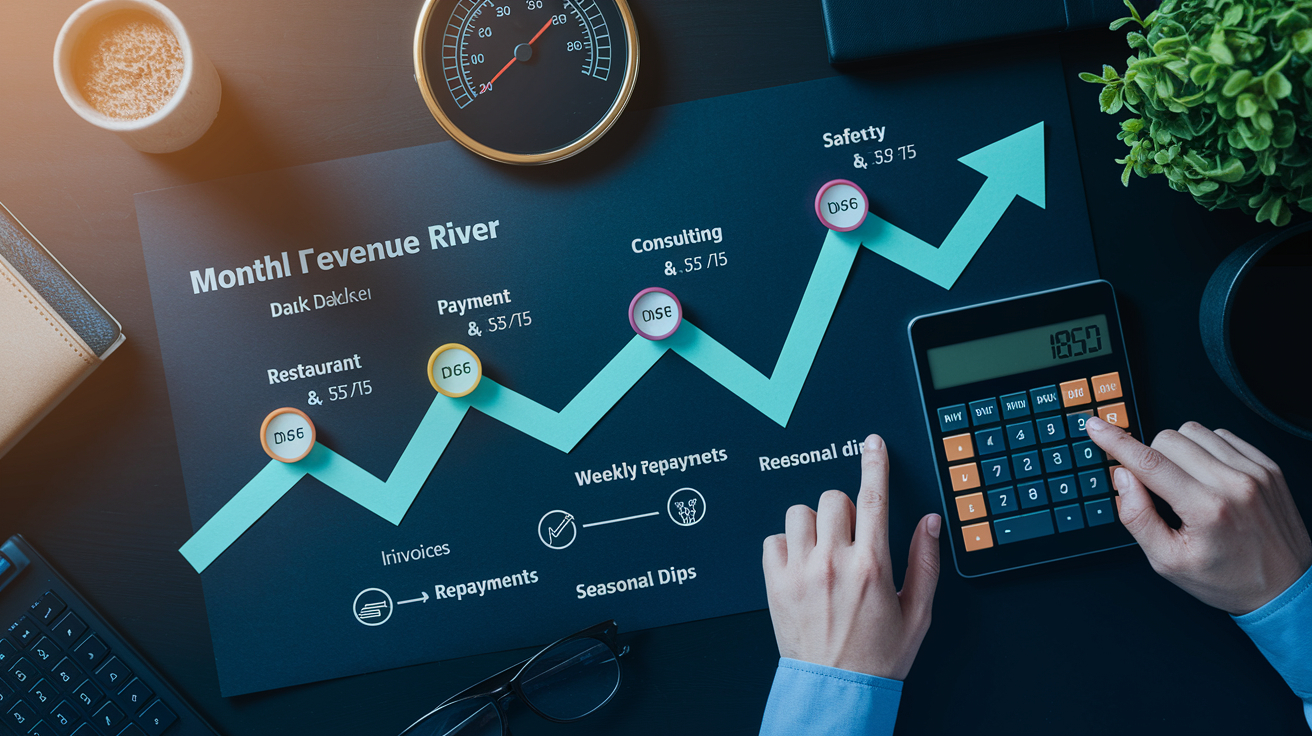
Revenue patterns decide whether a loan fits. A restaurant with daily credit card sales can handle daily or weekly repayments because cash comes in constantly. A consulting firm with quarterly invoices may struggle with weekly draws and should structure monthly or quarterly payments instead. Enter your loan details and repayment frequency into the calculator, then overlay your actual cash inflow schedule. If the payment date lands during a revenue valley, you’ll see the squeeze before you sign.
Debt service coverage ratio measures how much operating income you have relative to loan payments. Lenders typically want DSCR above 1.25, meaning your net operating income should exceed your annual debt payments by at least 25%. If the calculator shows $2,000 monthly payments ($24,000 annually) and your NOI is $30,000, your DSCR is 1.25, right at the threshold. Boost the term to lower monthly payments and your DSCR improves, making approval more likely. The calculator becomes a planning tool to hit lender benchmarks without over-leveraging.
Repayment frequency changes cash flow strain in ways APR alone doesn’t capture. Monthly payments batch obligation into 12 large outflows. Biweekly payments split the same annual total into 26 smaller amounts. Weekly or daily payments (common in revenue-based financing) align perfectly with daily sales but require consistent deposit volume. Use the calculator to model each frequency against your deposit patterns. If daily payments total $150 and your average daily sales deposit is $2,000, the 7.5% draw is manageable. If sales dip and deposits fall to $800, that same $150 becomes a 19% draw and cash flow tightens fast.
Saving, Printing, and Exporting Your Business Loan Calculations

Export features let you take calculation results into meetings, investor decks, or internal planning documents. After running a scenario, download the amortization schedule as a CSV file and open it in Excel or Google Sheets for further analysis. Add columns for projected revenue, overlay payment dates, and model cash flow month by month. PDF export creates a clean printable summary with monthly payment, total interest, and the first 12 and last 12 rows of the amortization table. Perfect for lender conversations or board presentations.
Browser storage saves scenarios locally so you can return later without re-entering data. Label each scenario with a timestamp and loan type (“Term Loan A 7.5% 60mo,” “LOC Option B 9% Interest-Only,” “SBA Refi 6.5% 120mo”) and switch between them instantly to compare. Print-friendly views strip unnecessary UI elements and format the results for clean hard-copy output. Mobile-responsive design means the calculator works on phones and tablets, so you can run numbers during a lender call or while reviewing term sheets on-site.
CSV download of the full amortization schedule for spreadsheet analysis
PDF export of payment summary and key schedule rows for presentations
Print-friendly view optimized for clean hard-copy output
Final Words
You saw the calculator take loan amount, APR, term, and payment frequency and show monthly payment, total interest, and a downloadable amortization schedule.
Results update instantly using the standard amortization formula.
We walked through fee treatment, alternative repayment modes, and real examples so costs are clear.
You also saw comparison tools and export options.
Use the business loan calculator to model scenarios, compare total payback, and pick the option that fits your cash coming in and going out.
You’ll leave with clear numbers and a practical next step.
FAQ
Q: What is the payment on a $1,000,000 business loan?
A: The payment on a $1,000,000 business loan depends on APR and term. For example, at 6% APR over 10 years monthly ≈ $11,110; over 20 years ≈ $7,164. Use a loan calculator.
Q: What is the monthly payment on a $50,000 business loan?
A: The monthly payment on a $50,000 business loan depends on APR and term. At 7.5% over 60 months monthly ≈ $1,001.20, total paid ≈ $60,072.
Q: How much income do I need for a $500,000 business loan?
A: The income you need for a $500,000 business loan depends on lender rules and cash flow. Lenders want enough revenue to cover payments; typical DSCR target is 1.25–1.5, often translating to annual revenues roughly $150,000–$300,000 depending on rate and term.
Q: Do you need 20% down for a business loan?
A: You don’t always need 20% down for a business loan. Down payment requirements vary by lender and loan type; some SBA or equipment loans need little or no down, while others may ask 10–30%.